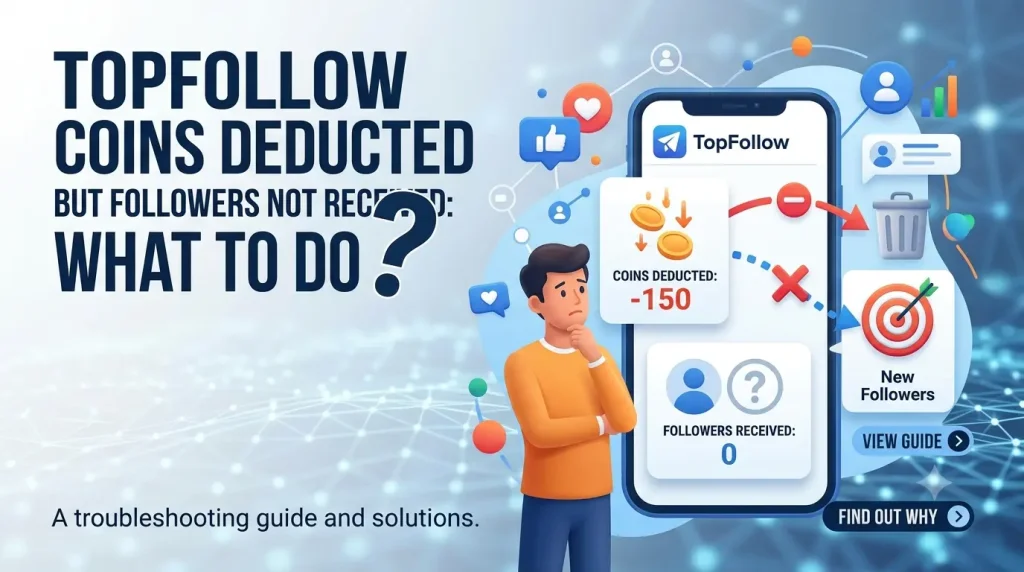
TopFollow Coins Deducted but followers not increased
TopFollow coins deducted but followers not received when an order is recorded, while follower delivery is still pending. First, check the order status, target Instagram username, and follower count.
Do not place another order yet. A second request may deduct more coins and make the original transaction harder to track. Your order may still be pending, may have failed, may be partially delivered, or may require coin restoration.
How a TopFollow Follower Order Works
When you place a follower order, TopFollow deducts the required coins and records the request against the selected Instagram username. The order then moves through the status stages available in your app version before followers appear on the target account.
TopFollow coins → follower order → Instagram username → order status → follower delivery
A coin deduction shows that your balance changed. It does not confirm that follower delivery has finished. Check the order record and target username before placing another request.
Check the TopFollow Order Status
Open TopFollow and go to the History, Orders, or similar transaction section available in your app version.
Check the following details:
- Target Instagram username
- Requested follower quantity
- Coins deducted
- Submission time
- Current order status
- Delivered quantity, if shown
Why Coins Were Deducted but Followers Did Not Arrive
Wrong Instagram Username
The order may have been sent to the wrong account if the username was entered incorrectly.
Compare the username in the order history with the current Instagram profile. Check every letter, number, full stop, and underscore. Do not confuse the profile display name with the username.
Username Changed After Ordering
If the Instagram username changed after the order was placed, TopFollow may still have the previous username saved in the transaction.
Compare the username recorded in the order with the account’s current username.
Instagram Account Is Private or Unavailable
A private, suspended, deactivated, or temporarily unavailable profile may affect delivery.
Check whether the target profile opens normally. Also confirm whether your TopFollow version requires the receiving account to be public.
Order Is Still Pending
Coins may be deducted when the order is recorded, while delivery is still waiting to finish.
Check the order status and avoid submitting another request while the first order remains pending or processing.
Instagram Follower Count Has Not Refreshed
The followers may have arrived even though the displayed count has not updated.
Compare the follower count in:
- The Instagram app
- A web browser
- Another device or account
This helps separate a display delay from a delivery failure.
TopFollow APK Is Outdated or Corrupted
An outdated or damaged installation may cause login, order-history, or synchronisation problems.
Check the installed app version and update only from a source you trust. Do not assume that an old APK is the cause of every failed order.
Instagram Account Is Restricted or Requires Verification
Instagram may request a security check after detecting unusual account activity.
Open the official Instagram app and check for:
- Login confirmation
- Identity verification
- Password reset request
- Suspicious-activity warning
- Temporary account restriction
Complete any visible verification before checking the TopFollow order again.
TopFollow Service Delay or Temporary Technical Problem
A temporary service problem, maintenance period, or processing delay may prevent immediate delivery.
Treat this as a possible cause unless TopFollow has published a verified service notice.
Only Part of the Order Was Delivered
Some followers may arrive while the rest remain missing.
Record the follower count before and after the order. Check whether the transaction is still processing and calculate the missing quantity before contacting support.
Step-by-Step Troubleshooting
Step 1: Screenshot the Coin Balance and Order
Before changing any app settings, save screenshots of:
- Current coin balance
- Follower order
- Deducted coin amount
- Target username
- Requested follower quantity
- Order status
- Approximate submission time
This evidence may be needed if the order disappears or the app is reinstalled.
Step 2: Check the Order History
Open the History, Orders, or similar section shown in your TopFollow version.
Confirm that the order appears and check whether it is:
- Pending
- Processing
- Completed
- Partially completed
- Failed
- Missing
Also check whether the coins returned automatically after a failed or cancelled order.
Step 3: Verify the Exact Instagram Username
Open the target Instagram profile and copy the username directly.
Compare it with the username saved in the TopFollow order. Check:
- Letters
- Numbers
- Underscores
- Full stops
- Similar-looking characters
A small spelling mistake may send the order to the wrong account or prevent delivery.
Step 4: Check Whether the Instagram Profile Is Accessible
Open the target profile in Instagram and, where possible, from a browser or another account.
Confirm that the profile:
- Still exists
- Opens normally
- Has not been suspended
- Has not been deactivated
- Has not changed its username
- Meets any visibility requirement shown in TopFollow
Step 5: Compare the Follower Count in Different Places
Check the follower count in the Instagram app, a browser, and another device or account.
Write down the count instead of relying on memory. This helps determine whether the order failed or whether the displayed count has not refreshed.
Step 6: Force Close and Reopen TopFollow
Close TopFollow completely from the recent-apps screen.
Wait a few seconds, reopen the app, and return to the order history. Check whether the status or coin balance has updated.
Step 7: Check the Internet Connection
Open another app or website to confirm that your internet connection is working.
You can also:
- Switch from Wi-Fi to mobile data
- Switch from mobile data to Wi-Fi
- Turn Airplane Mode on and off
- Restart the router
- Reopen TopFollow after the connection stabilises
Step 8: Clear the App Cache
Go to:
Android Settings → Apps → TopFollow → Storage → Clear Cache
Clearing the cache removes temporary files and normally keeps your account data.
Do not clear app data until you have saved all transaction evidence. Clearing app data may sign you out and remove locally stored information.
Step 9: Check for a Verified TopFollow Update
An outdated installation may affect login, order history, or synchronisation.
Compare your installed version with a trusted source before updating. Avoid modified, cracked, or unlimited-coin APK files.
Step 10: Reinstall Only After Saving Transaction Evidence
Do not uninstall TopFollow until you have saved:
- Coin-balance screenshot
- Order-history screenshot
- Target username
- Requested follower quantity
- Deducted coins
- Order date and time
- Visible order status
Reinstalling may remove local session information and make the original transaction harder to document.
Step 11: Contact Verified Support if the Problem Remains
Contact support if the order:
- Is missing
- Has failed
- Is marked completed but no followers appeared
- Was only partially delivered
- Did not return the deducted coins
Use only a support channel linked inside the app, a verified website, or a confirmed contact page.
Never share your Instagram password, OTP, 2FA code, recovery code, or login session.
Check the TopFollow Version and APK Source
Before updating or reinstalling TopFollow, confirm the details of the APK installed on your device.
| APK Detail | How to Verify It |
|---|---|
| Installed App Version | Open Android Settings, select Apps, open TopFollow, and view the app details. |
| Latest Tested Version | Confirm it through a source that has actually tested the file. |
| File Size | Check the exact size of the downloaded APK. |
| Package Name | View the APK metadata or Android app information. |
| Minimum Android Requirement | Check the APK manifest or verified compatibility information. |
| Tested Android Versions | Use only versions that were actually tested. |
| APK Source | Identify whether the file came from a developer-controlled or third-party source. |
| SHA-256 Checksum | Compare the checksum of the downloaded file with the published value. |
| Malware Scan Date | Check when the exact APK file was scanned and which scanners were used. |
Do not describe an APK as official, virus-free, completely safe, or the latest version without reliable evidence.
A malware scan can detect some known threats, but it cannot guarantee complete safety.
Partial Delivery vs. Follower Drop-Off
These problems may look similar, but they require different responses.
Followers Never Arrived
This is a non-delivery issue.
The follower count did not increase, and no part of the requested quantity appeared. Check the order status, username, profile accessibility, and transaction evidence before contacting support.
Only Some Followers Arrived
This is partial delivery.
Compare the requested follower quantity with the highest increase you observed. If the order is no longer processing, record the missing amount and request an order review.
Followers Arrived and Later Disappeared
This is follower drop-off, not initial non-delivery.
Followers may unfollow, become inactive, have their accounts removed, or disappear for other reasons. A completed order does not guarantee that every follower will remain permanently.
The Follower Count Changed for Other Reasons
Instagram follower counts also change because of unrelated organic follows and unfollows.
Use timestamps and before-and-after screenshots, but do not treat the count difference as perfect proof of delivery.
Correctly identifying the problem helps you request the right outcome: order completion, partial-delivery review, or coin restoration.
Evidence to Collect Before Contacting Support
Save the following information before clearing app data, updating, or reinstalling TopFollow:
- Screenshot of the deducted coin balance
- Screenshot of the order history
- Exact target Instagram username
- Requested follower quantity
- Number of coins deducted
- Order date and approximate time
- Visible order status
- Follower count before and after the order
- Installed TopFollow version
- Android version
- Device model
- Any error message
- Troubleshooting steps already completed
Hide passwords, OTPs, recovery codes, email addresses, and other private information before sharing screenshots.
How to Request Order Review or Coin Restoration
Use only a support channel linked inside the TopFollow app, its verified website, or a confirmed contact page.
Avoid social accounts, messaging numbers, or websites that cannot prove they are connected to the app.
Before contacting support, prepare:
- Target Instagram username
- Coins deducted
- Followers requested
- Order date and time
- Visible order status
- Screenshots of the coin balance and order history
- TopFollow version
- Android version and device model
- Troubleshooting steps already completed
Ask for order completion if the transaction is still active but followers have not arrived.
Ask for coin restoration if the order failed, disappeared from the history, or could not be completed.
Keep the same ticket or case reference for every follow-up. Creating several requests for one order may split the evidence and make the issue harder to track.
Support Message Template
Hello, my TopFollow coins were deducted, but the follower order was not completed.
Please review the order and either complete the follower delivery or restore the deducted coins. I have attached screenshots of the coin balance and order history.
Never include your Instagram password, OTP, recovery code, 2FA code, or login session in the request.
Safety and Scam Warning
Be careful when looking for help with a missing TopFollow order. Fake support accounts may copy the app name, logo, or screenshots to appear legitimate.
Never share your:
- Instagram password
- OTP
- 2FA code
- Recovery code
- Login session
- Email password
Avoid websites or individuals that promise instant coin recovery for a fee.
Also avoid modified, cracked, or unlimited-coin APK files. These files may contain malware, steal account information, change app behaviour, or lead to Instagram account restrictions.
Third-party follower tools may also cause account challenges, temporary limitations, or other enforcement actions by Instagram.
An APK scan can detect some known threats, but it cannot prove that a file is completely safe. Scan results may miss new, hidden, or behaviour-based risks.
How to Prevent the Problem
You cannot guarantee that every TopFollow order will work, but these steps can reduce the risk of coin loss and delivery errors:
- Copy the username directly from the Instagram profile.
- Confirm that it belongs to the correct destination account.
- Check whether the profile is visible and accessible.
- Start with a smaller order where the app allows it.
- Screenshot the coin balance before ordering.
- Save the order details after submission.
- Avoid placing duplicate orders.
- Resolve pending orders before spending more coins.
- Keep the verified TopFollow APK updated.
- Avoid modified, cracked, or unlimited-coin APK files.
- Protect the Instagram account with a strong password and 2FA.
These precautions reduce avoidable mistakes, but they cannot guarantee follower delivery or prevent every app, service, or Instagram-related issue.