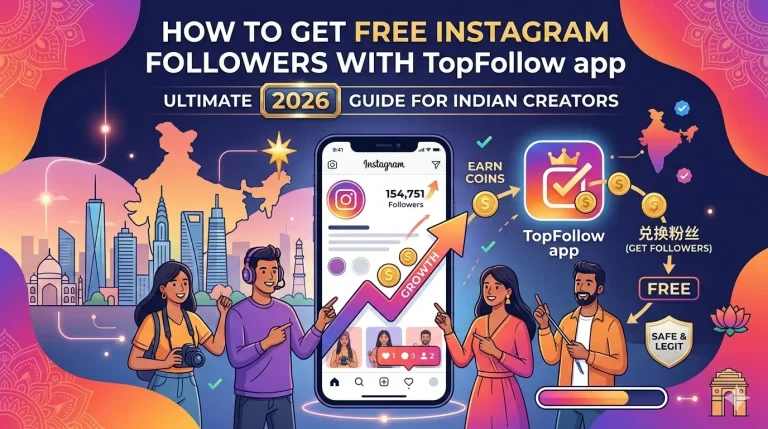

Top Follow followers are Instagram followers requested through the TopFollow app’s coin-based system. Users earn coins by completing available activities and spend them on follower requests. However, the number of followers received may differ from the number requested, and followers may not remain on an account permanently.
This guide explains how the follower system works, how to check your requests, and what to do when followers do not appear or later disappear. It also covers the account-security risks and Instagram restrictions you should understand before using a third-party engagement app.
What Are TopFollow Followers?
TopFollow followers are Instagram followers requested through the TopFollow app. Unlike people who discover your profile through your posts, these followers are requested through a third-party engagement system.
The app uses coins to support follower requests. Users earn coins through available activities and spend them to request engagement for their Instagram profiles.
However, requesting followers does not guarantee that every account will follow you or continue following you.
The TopFollow followers app is not an Instagram feature. It operates separately from Instagram, so users should understand the difference between requesting followers through a third-party service and gaining followers through ordinary Instagram activity.
For more information about the main application, visit our TopFollow APK guide.
How the TopFollow Follower System Works
The TopFollow follower system uses coins as an in-app reward balance. Users earn coins through available activities and use them to request followers for an Instagram profile.
Third-party TopFollow guides describe a follower-exchange process in which users complete engagement tasks to collect coins. The available activities and request options may depend on the installed app version.
The general process works as follows:
- Open the app. Check which activities and engagement options are available in your installed version.
- Earn coins. Complete an available activity and check whether coins have been added to your balance.
- Select a follower request. If your version provides this option, review the Instagram account and request details.
- Check your coin balance. Make sure you understand how many coins the request requires before submitting it.
- Review the result. Open your Instagram profile to check whether new followers have appeared.
A submitted request does not confirm that the requested followers have arrived.
The exact screen names, available activities, and request options have not been independently verified for every TopFollow version. Follow the options shown in your installed app rather than relying on screenshots from another version.
Understanding TopFollow Coins and Rewards
Coins are the in-app rewards used for supported engagement requests.
TopFollow guides describe a system in which users collect coins by completing available activities, such as engaging with other accounts. They can then use their balance to request followers or other supported actions.
Earning coins and receiving followers are two different steps.
Completing an activity may increase your coin balance. Spending those coins starts a request, but it does not confirm that the requested followers have reached your Instagram account.
Before using your balance, check the selected action and the number of coins required. Do not assume that every app version uses the same coin requirements.
Also, avoid relying on websites that promise a fixed number of followers for a specific coin amount without providing evidence for the version you are using.
For more information about available activities and managing your balance, read our TopFollow APK tips and tricks guide.
How to Check Your Follower Requests
After submitting a follower request, check your Instagram account to see whether your follower count has changed.
Your Instagram profile shows the current number of followers, while your follower list lets you review the accounts following you.
You can use the following steps to check the result of a request:
- Open the Instagram account associated with your follower request.
- Note your current follower count.
- Review your follower list for newly added accounts.
- Compare the current count with the number recorded before your request.
- If your TopFollow version displays request information, review it alongside the result on Instagram.
Checking your follower count is not the same as checking a request’s status.
Your Instagram profile shows the followers currently associated with your account. It does not identify which followers came from a particular TopFollow request.
Other users may follow or unfollow you while a request is being processed. For this reason, a change in your total follower count does not confirm the exact result of one request.
If your installed TopFollow version provides a request-status or history feature, you can review that information. However, an in-app status does not independently confirm that followers have arrived.
Why Requested Followers May Not Appear
If your requested followers are not showing on Instagram, first check whether the request was submitted for the correct account and whether your coin balance changed.
A missing follower increase does not automatically explain what happened to your request.
The following checks can help you identify the issue.
1. Check the Instagram account
Make sure you are viewing the same Instagram profile associated with the follower request.
If you manage multiple accounts, check the username before comparing follower counts.
2. Review your coin balance
Check whether coins were deducted after you submitted the request.
A deduction may indicate that the app accepted the request, but it does not prove that the requested followers were delivered.
3. Check the follower count and list
Open Instagram directly and review your current follower count.
You can also check your follower list for new accounts. Remember that other people may follow or unfollow you during this period.
4. Review any available request information
If your installed version provides request details or a status indicator, check the information shown for your request.
Do not assume that every TopFollow version includes the same tracking features.
5. Avoid submitting the same request repeatedly
Before spending more coins, review the original request and check your Instagram account again.
Submitting additional requests without understanding the first result may make it harder to track your coin balance and follower changes.
If your coins were deducted but the requested followers did not appear, read our TopFollow coins deducted but no followers guide for more focused troubleshooting.
Why TopFollow Followers May Disappear
TopFollow followers may disappear after they have appeared on your Instagram account.
One possible reason is that an account stops following you. Instagram may also remove accounts or activity that it identifies as inauthentic.
Meta has publicly described its efforts to detect and remove fake accounts and prevent artificial engagement on Instagram. However, this does not establish why any particular TopFollow follower disappeared.
If you notice a drop in followers, check the following:
- Your previous follower count: Compare your current count with the number recorded after your request.
- Your follower list: Review whether accounts that previously followed you are still present.
- Your recent follower activity: Consider whether other people may have followed or unfollowed your account during the same period.
A lower follower count does not, by itself, prove that TopFollow caused the change or that Instagram removed specific accounts.
It may also be difficult to identify which followers came from a particular request, especially if your account received other followers during the same period.
For more information about possible causes and what you can check, read our TopFollow followers drop guide.
Instagram Account Safety and Platform Restrictions
TopFollow is a third-party engagement app, not an official Instagram feature. Before using it, consider the information you share and how follower-exchange activity may affect your Instagram account.
Meta has taken action against services that provide fake Instagram followers, likes, and views. It has also described efforts to prevent inauthentic activity on its platforms.
This means that follower-exchange activity may raise platform-policy concerns, particularly when it involves fake accounts or artificial engagement. Meta’s actions against other services do not establish that it has taken the same action against TopFollow specifically.
You can read Meta’s official explanation in Preventing Inauthentic Behavior on Instagram.
Protect Your Instagram Login Details
Be cautious when an unfamiliar application or website requests your Instagram username and password.
Do not enter your password into an unverified login form or share it with a service that cannot establish why it needs access to your account.
If you have already shared your credentials with an unfamiliar service, review your account security settings.
Review Account Access and Permissions
Check what information an application requests before granting access.
If you notice unfamiliar account activity, review your Instagram login sessions and any connected services you no longer recognise or use.
You should also check your device for unfamiliar applications and remove any that you do not trust.
Enable Two-Factor Authentication
Use a strong, unique Instagram password and enable two-factor authentication to add another layer of account protection.
Instagram also provides tools for reviewing login activity and securing accounts after suspicious activity.
For official instructions, see Meta’s Keeping Instagram Safe and Secure guide.
Important: No third-party follower service can guarantee that using its app will protect your Instagram account from security risks or platform restrictions.
Frequently Asked Questions
What are TopFollow followers?
TopFollow followers are Instagram followers requested through the app’s coin-based engagement system. Users spend earned coins on follower requests, but the number received and how long those followers remain may vary.
How do TopFollow followers work?
Users complete available in-app activities to earn coins. They can then spend those coins on supported follower requests. The result depends on the request and the followers that appear on Instagram.
Do I need coins to request followers on TopFollow?
The TopFollow system described in third-party guides uses coins for follower requests. Check your installed version to confirm the available options and the balance required for a request.
Why are my TopFollow followers not showing?
Check that you selected the correct Instagram account, review your coin balance, and compare your follower count before and after the request. These checks may help identify the issue.
Can TopFollow followers disappear?
Yes. Accounts may stop following you, and Instagram may remove accounts it identifies as inauthentic. A completed follower request does not guarantee that every follower will remain permanently.
Are TopFollow followers the same as organic Instagram followers?
No. TopFollow followers are requested through a third-party engagement system. Organic followers choose to follow an account after discovering its profile or content without a follower-exchange request.
Does TopFollow guarantee a specific number of followers?
A submitted request does not guarantee that every requested follower will arrive or remain on your account. Check your Instagram profile to see the actual result.
Is using TopFollow safe for my Instagram account?
Using a third-party engagement app can involve account-security and platform-policy risks. Avoid sharing your password with unverified services, review account access, and understand Instagram’s rules before using the app.